Create SNS Topic
Create Simple Notification Service (SNS) Topic
First, we will set up a topic for notifying our email address
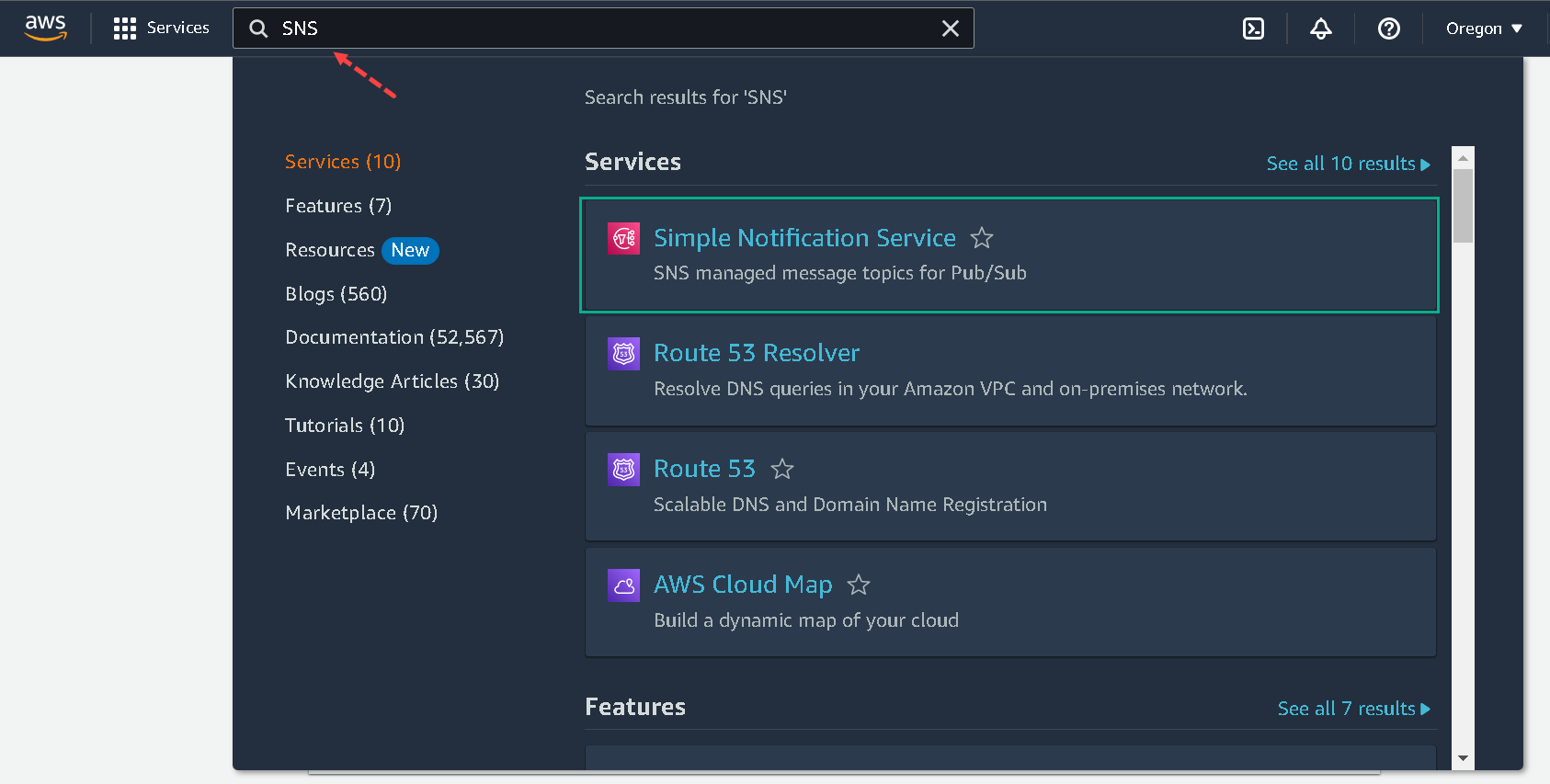
1.In AWS Console, search Simple Notification Service or click Amazon SNS
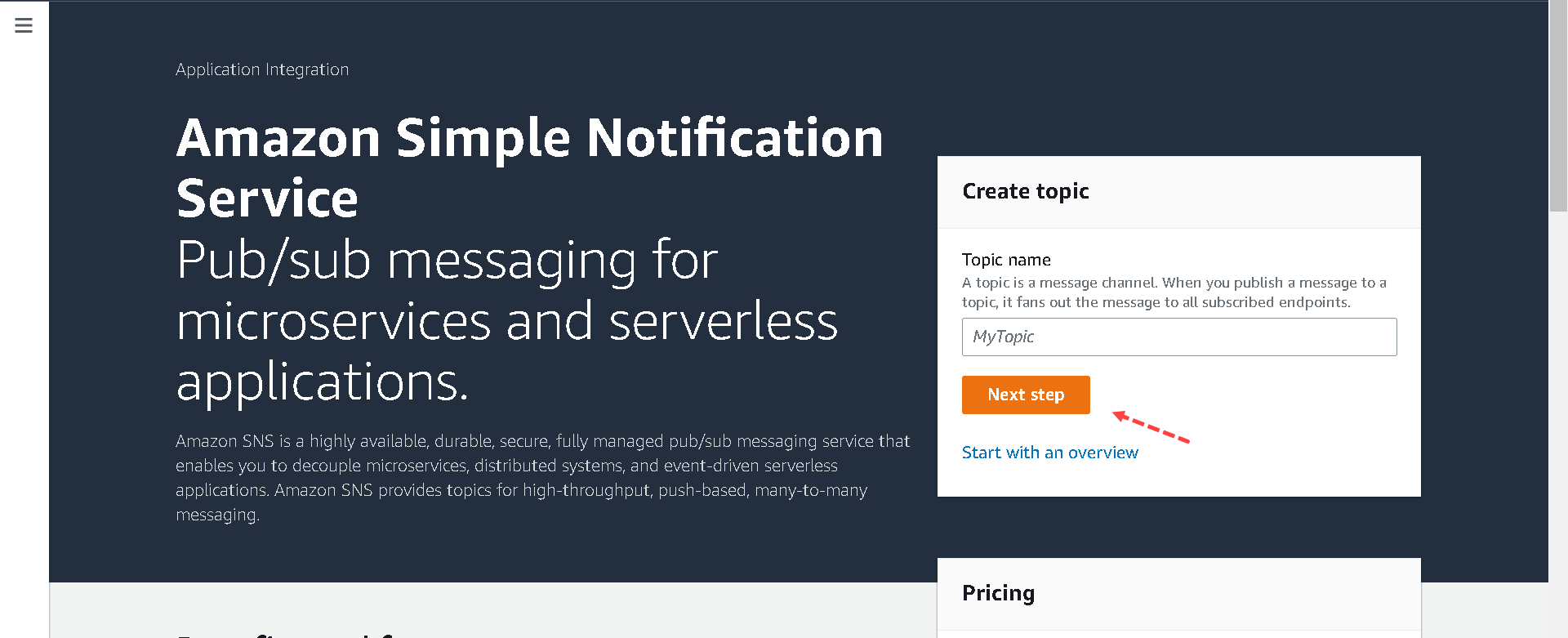
2.On the left side of the page, choose Topics or click Next step button as shown in the screen below.
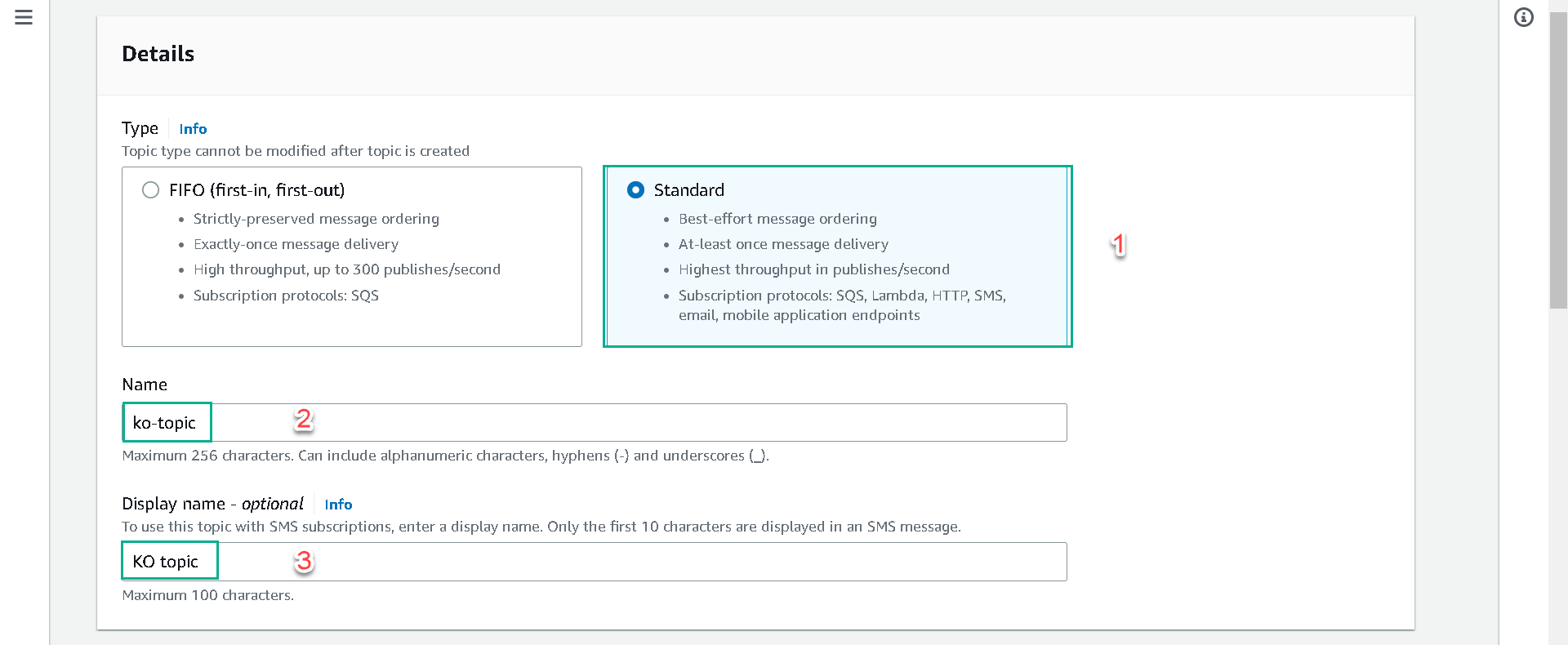
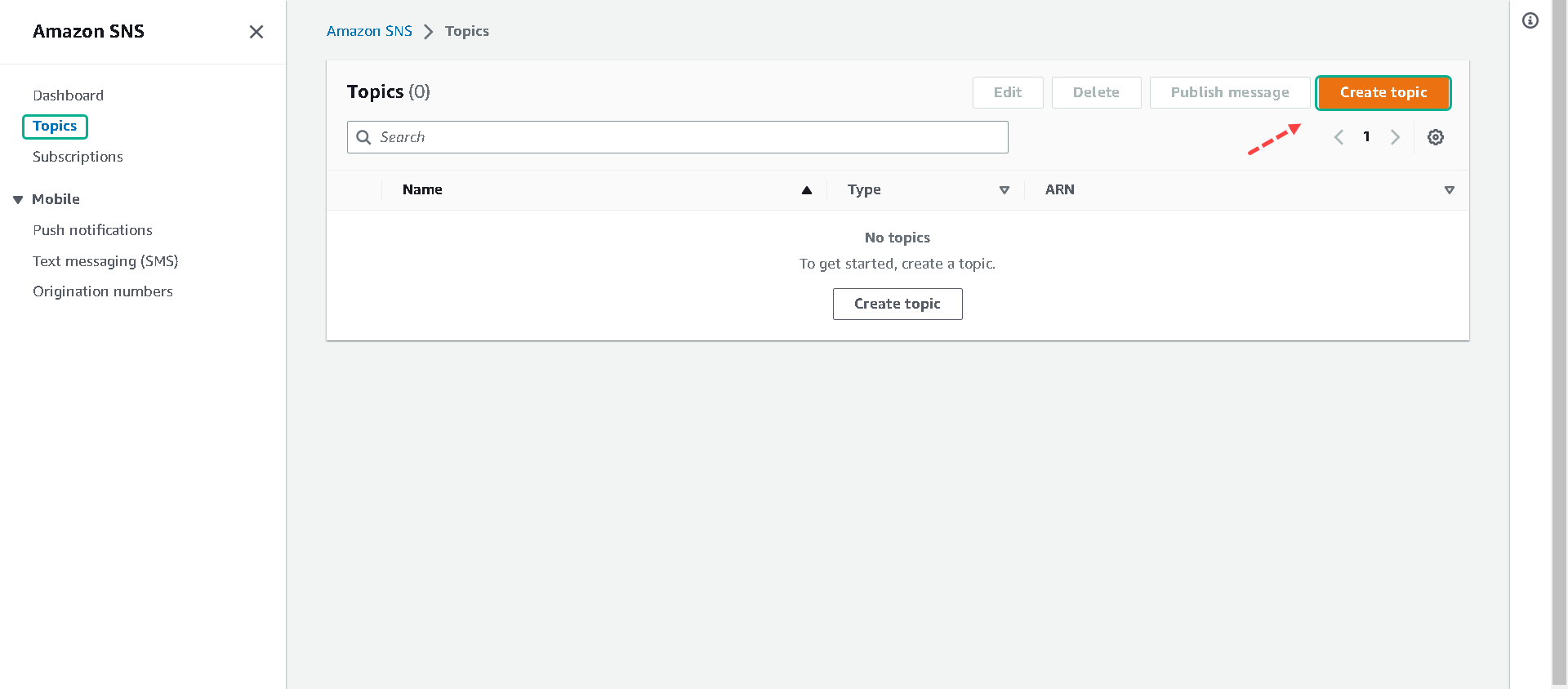 3.When Create topic opens. Choose Standard and includes your name and optionally a Display Name.
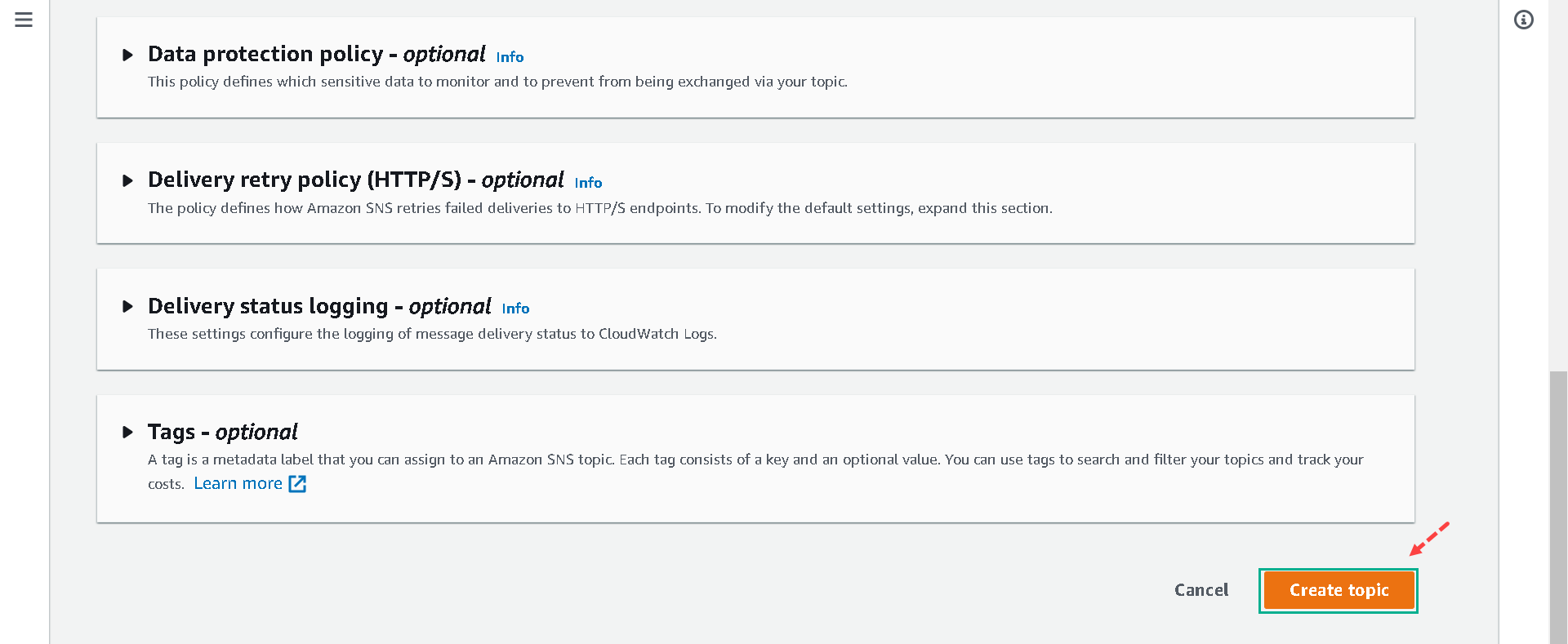
Scroll to the bottom of the screen and click Create topic.
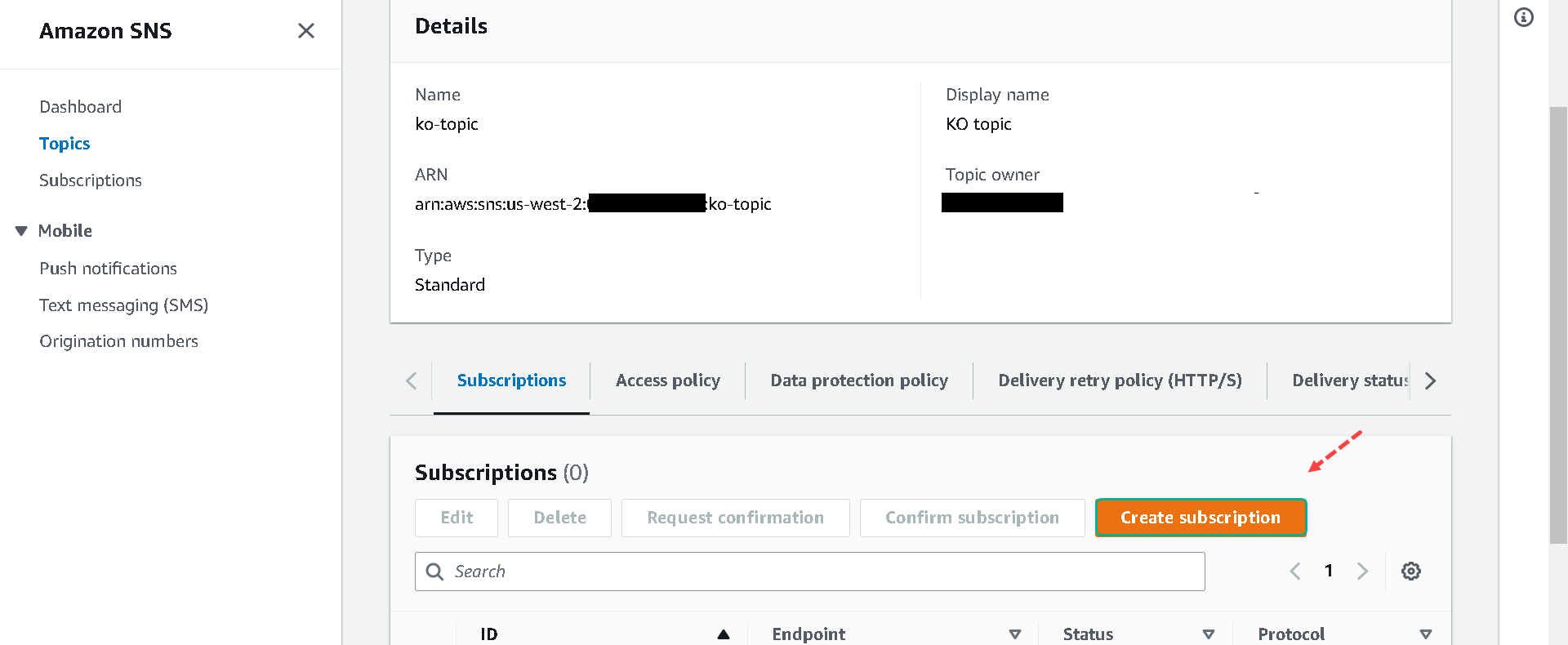
4.In the topic’s specific dashboard. Click Create subscription on the right side of the screen.
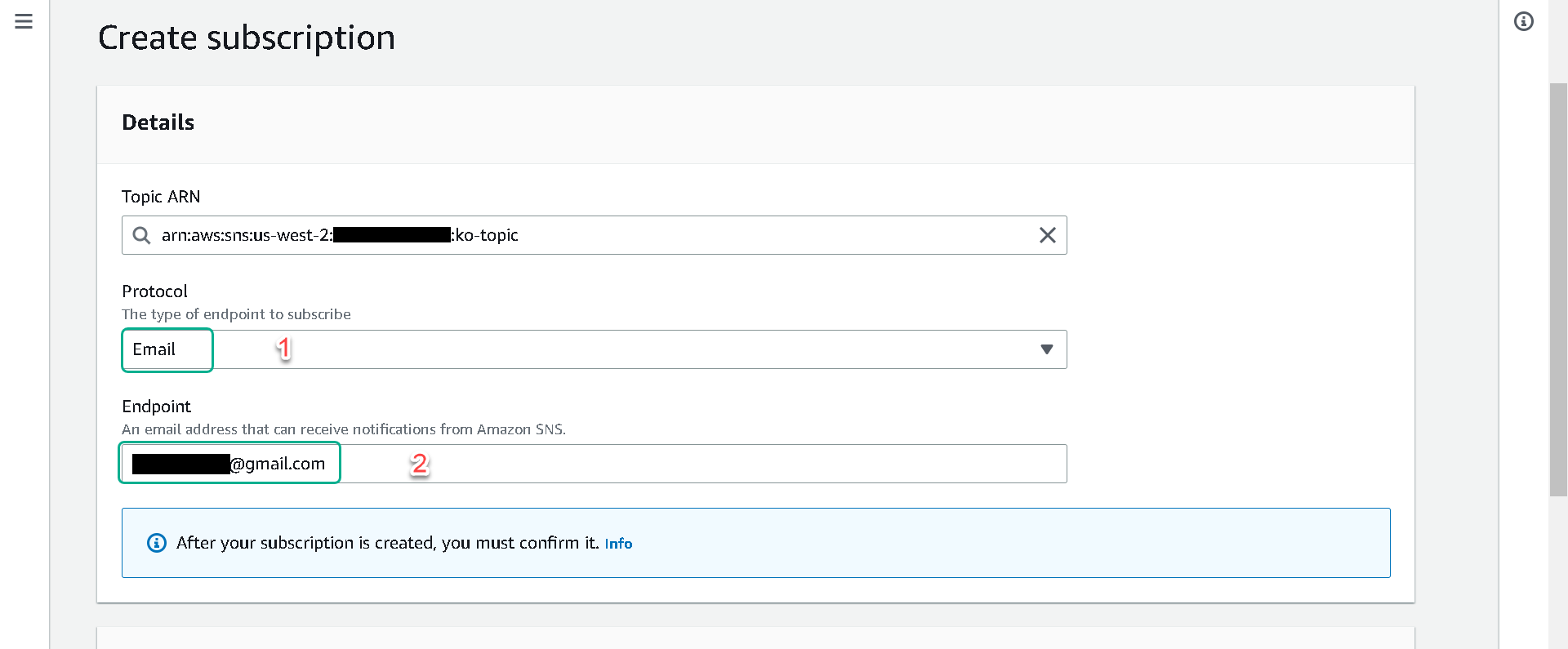
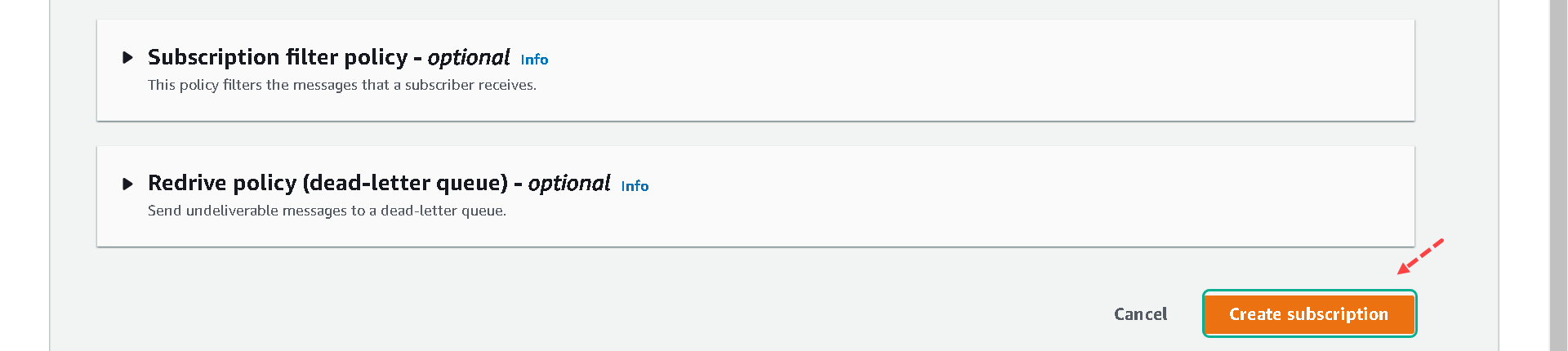
5.In the Protocol, choose Email and enter a working email address you are able to access. Click Create Subscription.
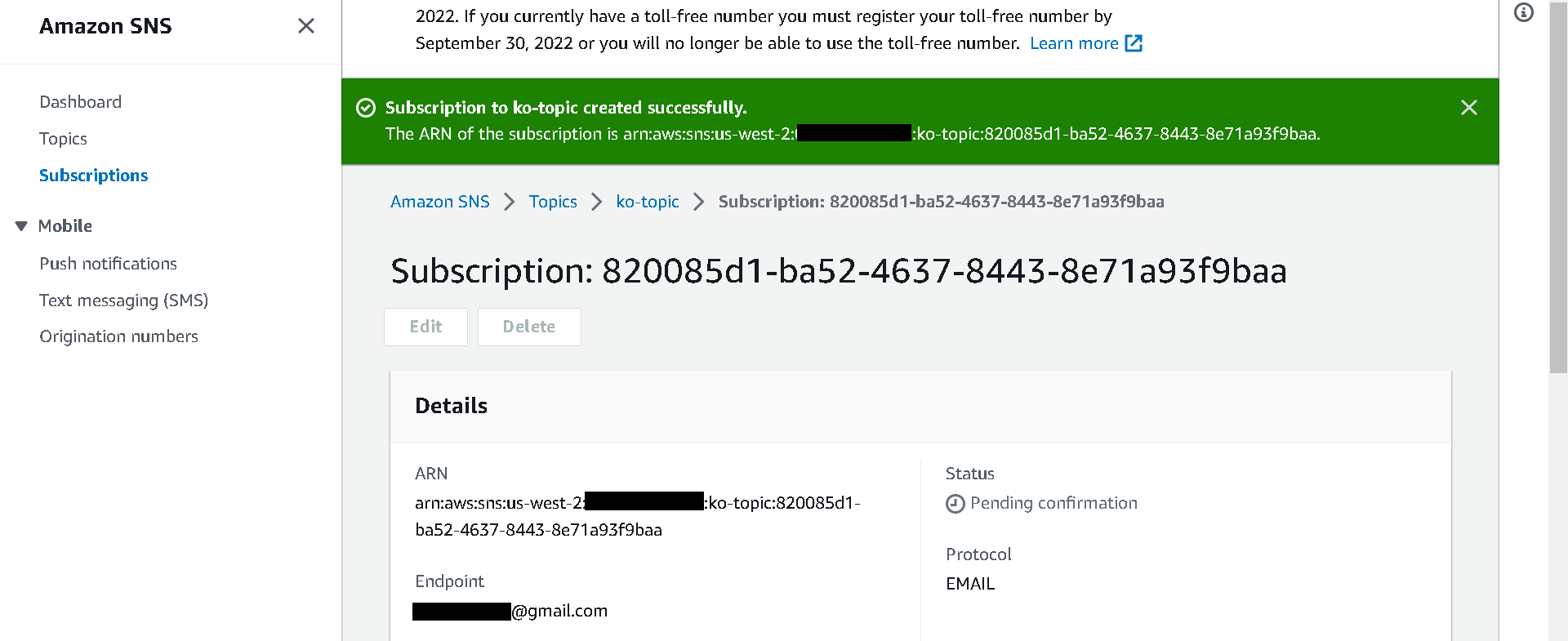
When Subscription to Ko-topic created successfully.
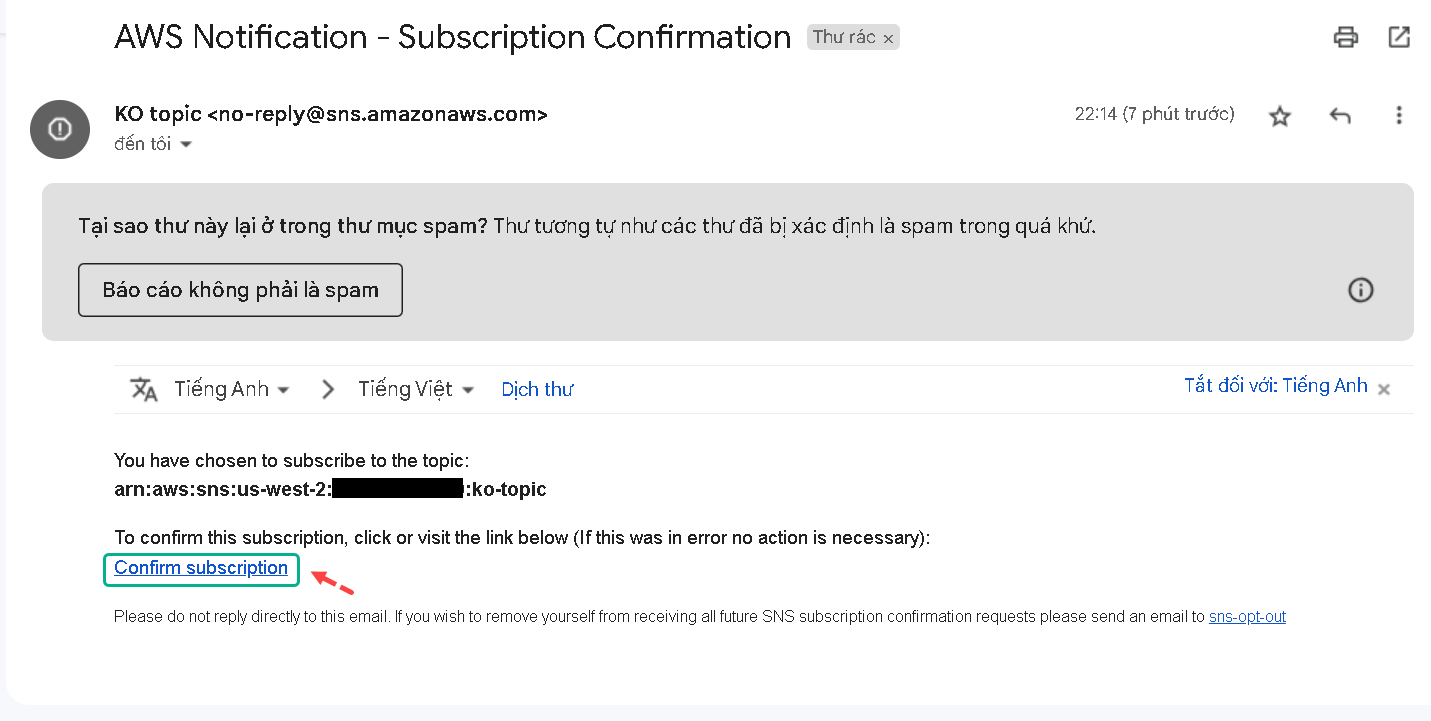
6.Check your email, open the email name AWS Notification – Subscription Confirmation and click Confirm subscription link.
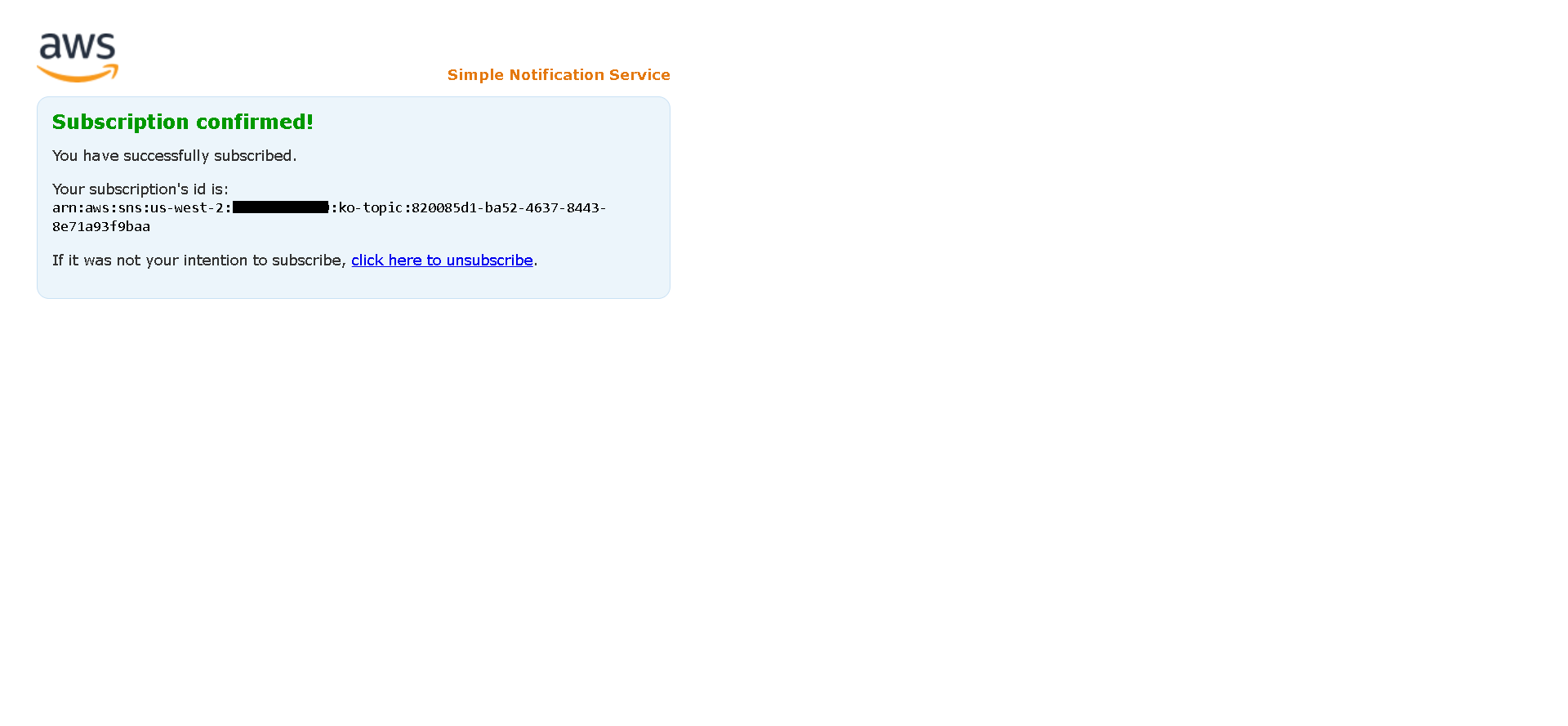
This pape show like this
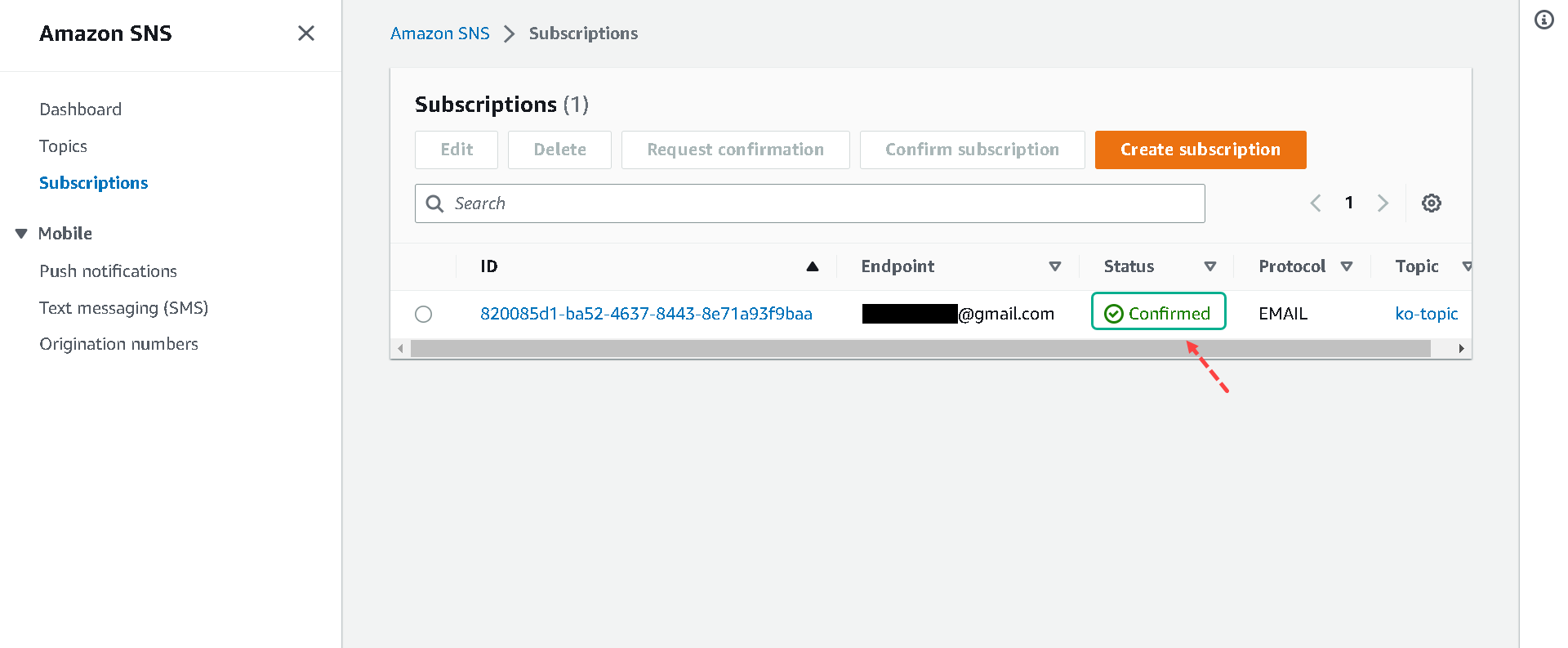
7.Check Your subscription if the value on the status has changed from PendingConfirmatio to Confirmed.